I like to customize the toolbar with the following additional buttons
next warning
next error
set start time
set end time
clear time setting
I like to customize the toolbar with the following additional buttons
next warning
next error
set start time
set end time
clear time setting
Dear Jens,
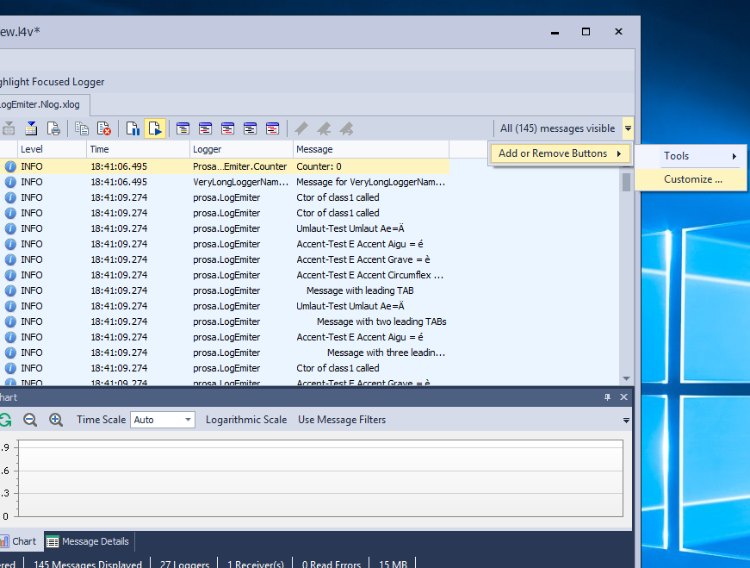
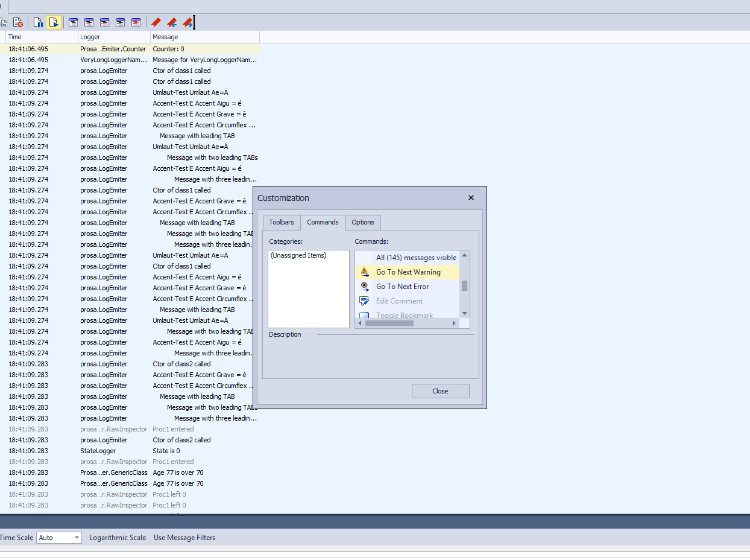
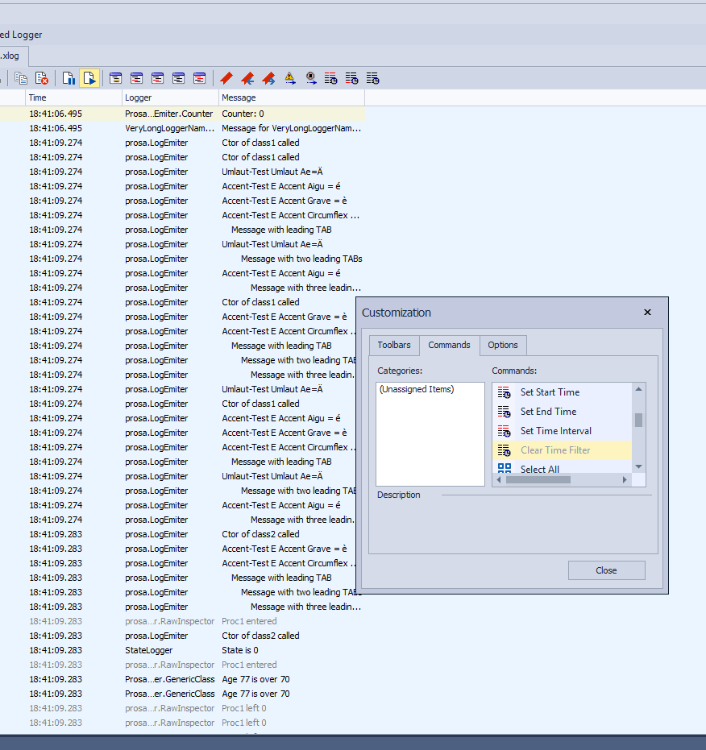
in Log4View click on the downward arrow on the far right of the toolbar in the message view. Then select “Add or Remove Buttons” → “Customize” → “Commands”. Here you can find all available commands which you can Drag&Drop into the toolbar.
Yours sincerely
Philipp Lauchner
PROSA GmbH
Development & Support
Hi
Sorry if I was unclear, what you describe is what I do
However next time I start Log4View it has forgotten about my customization
Thanks
Jens
Dear Jens,
sorry, I missed the caption of your post. We added the saving of custom toolbar layouts to our to todo list for our next release.
Yours sincerely
Philipp Lauchner
PROSA GmbH
Development & Support